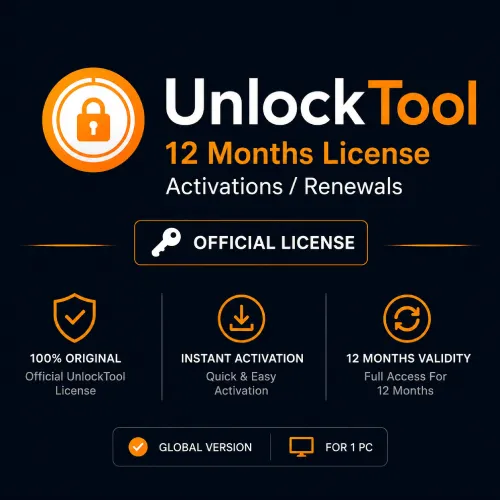

UnlockTool 12 Months License Activation or Renewal
Original price was: $61.99.$51.99Current price is: $51.99.
Activate a new UnlockTool account or renew an eligible account for 12 months. This annual digital plan is intended for established GSM technicians and repair shops that regularly work with supported mobile devices. Register first, submit the correct username and verify current model support.
Annual UnlockTool Access for an Active Mobile Repair Business
UnlockTool 12 Months License Activation or Renewal is the long-term plan for technicians who use professional mobile servicing software throughout the year. It offers a full annual access period, commonly listed as 365 days, and reduces the interruption and administration that comes with renewing every few months.
This plan is most relevant to established repair shops, experienced independent technicians and service teams that already understand the UnlockTool workflow. It can also suit a new business with a clear volume of compatible repair work and a properly prepared Windows workstation.
The service is account-based. A new activation is applied to an eligible registered UnlockTool account, while a renewal extends an existing eligible account. There is no physical card, box or courier package. Registration must be completed before ordering, and the username supplied at checkout must match the intended account exactly.
UnlockTool provides software access for supported mobile service operations. Available functions change according to device model, hardware platform, Android release, firmware and security level. An annual licence gives the account a longer active period; it does not turn unsupported phones into supported ones or guarantee a particular repair result.
When the 12-Month Plan Makes Business Sense
The annual plan requires a larger commitment than the three- or six-month option. It is best chosen because the workshop expects regular use, not simply because the product has the longest validity.
The twelve-month licence may be suitable when:
- UnlockTool is already part of your regular repair workflow.
- Your shop receives compatible Android software jobs every week.
- You want to avoid repeated activation orders during the year.
- You maintain one dedicated Windows repair workstation.
- Your commonly serviced brands and models appear in current support resources.
- You have trained technicians who understand firmware and driver handling.
- You keep customer authorisation and repair records.
- You want continuous access across busy and quiet service periods.
If you have never used the software, first review the supported models and workstation requirements. A three-month plan can be a lower-commitment starting point, while six months offers a middle option. The yearly product works best when real workshop demand justifies the longer term.
New Annual Activation or Account Renewal
Select new activation when you have registered an UnlockTool account that has not previously received the required paid access. Confirm that the registration is complete and that you can sign in before submitting the order.
Select renewal when you already have an eligible account and want to extend access for another annual period. Use the existing username. Avoid opening a replacement account unless the provider has instructed you to do so, because a second account can separate previous settings and create confusion during fulfilment.
Before ordering a renewal:
- Sign in to the existing account.
- Confirm its exact username and registered email.
- Check whether the account is active, expired or restricted.
- Review the expiry information currently displayed.
- Verify that renewal is available for that account.
- Submit the same username during checkout.
Do not share the account password with a seller. A reseller may need the username and, when required, the matching registration email, but should not need the password used to sign in.
Account, PC and HWID Expectations
Current UnlockTool plan information describes the annual activation as account-based access associated with a Windows PC or hardware identifier. The exact policy for changing, resetting or moving the workstation is controlled by the software provider and can change.
Before activating:
- Choose a stable Windows repair computer.
- Avoid activating first on a temporary or borrowed PC.
- Record the machine and account used for the licence.
- Review the current HWID-change or PC-reset policy.
- Do not promise unlimited computer changes to workshop staff.
- Secure the account so another person cannot bind it to the wrong machine.
Replacing a motherboard, reinstalling Windows or moving the software to another computer may require an HWID reset or a waiting period. Check the current rule before making a major hardware change. The purchase does not include unlimited simultaneous use across several workshop computers.
Supported Brands, Platforms and Operations
UnlockTool is associated with a frequently updated selection of Android brands and hardware platforms. Commonly represented families include:
- Samsung
- Xiaomi, Redmi and POCO
- Oppo, Vivo and Realme
- Huawei and Honor
- MediaTek devices
- Qualcomm devices
- Unisoc and other platforms added in supported updates
Technicians may see supported operations relating to firmware service, factory reset, account-related repair, bootloader work and other software maintenance tasks. The function list can be different for every model.
Never interpret a brand logo as support for the complete product range. A Samsung model with one processor or security patch can behave differently from another regional variant. Xiaomi, Redmi and POCO devices can also require different procedures depending on platform and firmware.
Check these details for every job:
- Full commercial name and exact model code
- Regional or carrier variant
- Chipset and hardware revision
- Android version and firmware build
- Security patch date
- Bootloader state
- Required service operation
- Current server and model status
- Risk of data loss
- Additional cable, driver or test-point requirements
Use the current tool and update information rather than an old forum list. Annual access covers a long period, and compatibility can change several times during that year.
What Is Included with the Annual Activation?
After successful processing, one eligible account receives the selected twelve-month activation or renewal.
The purchase includes:
- One annual UnlockTool account activation or renewal
- Access for the stated twelve-month period
- Eligibility to use supported functions available to the active account
- Software updates released for eligible users during the term
- Digital processing using the correct submitted account information
The purchase does not include:
- A phone, tablet, Windows PC or repair workstation
- USB cables, drivers, test-point equipment or workshop hardware
- A physical dongle, retail package or printed activation card
- A person remotely performing the repair
- Unlimited simultaneous use on multiple PCs
- A promise that every future phone will be supported
- Guaranteed success for a specific model or security patch
- Renewal after the annual period ends
- Permission to access or alter another person’s device
Correct Ordering Process
Use the following workflow to reduce delays and wrong-account activation:
- Register the UnlockTool account through the proper registration process.
- Sign in and confirm that the profile opens correctly.
- Copy the username directly from the account.
- Decide whether the order is a new activation or renewal.
- Review the current PC or HWID policy.
- Check the models and operations your shop expects to use.
- Enter the verified username during KeyZape checkout.
- Complete payment and allow the digital request to be processed.
- Sign in through the latest official UnlockTool software after confirmation.
- Record the new activation and expiry information for the workshop.
Digital processing may depend on payment verification, provider response and manual review. Do not expect a physical shipment. KeyZape should promise instant activation only when the entire order flow has been tested and automated; otherwise “digital activation” is the accurate description.
Building a Reliable Year-Round Workstation
An annual software plan deserves a stable repair environment. A poorly maintained computer can cause detection, driver and connection problems even when the account is active.
For a dependable setup:
- Use a supported and updated Windows installation.
- Download UnlockTool from its current trusted file source.
- Install only the drivers needed for the phones you service.
- Keep labelled, tested data cables for common connector types.
- Use reliable USB ports and avoid damaged hubs.
- Maintain enough free storage for firmware and backup files.
- Create a separate Windows user profile for workshop tools.
- Keep customer backups encrypted and delete them after authorised use.
- Record software updates that materially change your workflow.
- Protect the UnlockTool account with unique credentials.
Security software can sometimes question specialist repair utilities. Do not download a modified build merely to avoid a warning. Verify the source and file first. If an exception is needed for a legitimate component, make the narrowest possible change rather than disabling all protection permanently.
Getting Better Value from the 12-Month Licence
The value of an annual plan comes from organised, authorised use—not from attempting every device that enters the shop.
Keep a simple internal service log containing:
- Date and technician
- Device brand and model
- Firmware or security level
- Requested operation
- Support status checked
- Customer permission received
- Result and relevant error code
This record helps the business identify which supported jobs are most common and where technicians need training. It can also reduce repeated mistakes when the same model returns to the workshop.
Review UnlockTool updates regularly, but do not assume every update affects your shop. Focus on releases that add or change the brands and platforms you actually service. Near the end of the annual term, use the service log to decide whether renewal is commercially sensible.
Comparing the Available Licence Periods
| Plan | Best fit | Renewal pattern |
| 3 months | New users, temporary projects and occasional service work | Most frequent |
| 6 months | Regular technicians and small active workshops | Moderate |
| 12 months | Established workshops with steady compatible demand | Least frequent |
Choose an annual plan when UnlockTool has a clear role in the business. If compatibility or demand is still uncertain, beginning with a shorter term may be the better decision.
Lawful and Responsible Professional Use
Use mobile servicing software only on devices you own or have clear authority to repair. Confirm the customer’s identity and ownership before any security- or account-related service. Keep a signed job sheet or another reliable record of permission.
Explain the possibility of data loss before running a reset, flash or other destructive operation. When a backup is possible and authorised, protect it carefully. Do not retain customer photos, contacts, messages or account information after the repair no longer requires them.
Device identifiers and network functions can be regulated by national law. Follow local legal requirements, manufacturer policies and the software provider’s terms. Purchasing annual software access does not make an unauthorised operation acceptable.
Annual Purchase Checklist
Before paying, confirm that:
- The UnlockTool account is registered and accessible.
- The submitted username is exact.
- You selected new activation or renewal correctly.
- The intended Windows workstation is suitable.
- You reviewed the current PC and HWID rules.
- Your common repair models and functions are currently supported.
- You understand that processing is digital.
- You accept that a processed activation may not be transferable.
- Your technicians will work only on authorised devices.
Contact KeyZape before purchase if the account, workstation or target-model support is uncertain. A pre-order check is safer than attempting to correct an annual activation after it has been assigned.
Frequently Asked Questions
What does the UnlockTool 12 Months License include?
It provides one eligible UnlockTool account with a new activation or renewal for twelve months, along with access to supported functions and eligible updates during the active period.
Is the annual licence valid for 365 days?
The twelve-month plan is commonly listed as 365 days. The exact activation and expiry timestamps are controlled by the provider and displayed in the account after processing.
Can I buy this for a newly registered account?
Yes. Register the account first, sign in successfully and select new activation. Submit the exact username during checkout.
Can I renew an existing UnlockTool account for one year?
An eligible existing account can normally be renewed with this product. Use the same registered username and confirm that you can access the account before ordering.
Do I receive a licence key by email?
UnlockTool activation is generally account-based. The annual validity is added to the eligible account submitted with the order rather than sent as a boxed serial card.
Does the 12-month licence work on multiple PCs?
Do not assume unlimited multi-PC use. Current plan information refers to a Windows PC or HWID-based setup. Review the provider’s current PC-change and HWID-reset rules before activation.
Can I move the account to another computer?
Moving to another PC may require an HWID reset, eligibility check or waiting period. The provider controls the current policy, so verify it before replacing the workshop computer.
Does UnlockTool support every model from the listed brands?
No. Support varies by exact model, chipset, region, firmware, Android version and security patch. Check the required operation for the specific device.
Are software updates included?
Eligible active accounts can use updates released during the licence period. Updates can add, change or temporarily remove model-specific functions.
Is any physical item shipped?
No. This is a digital account activation or renewal. A dongle, computer, phone, cable and repair service are not included.
When does the annual period begin?
The period normally begins when the activation or renewal is completed in the provider’s system. Confirm the expiry date shown after processing.
Can a processed activation be transferred to another username?
It may not be possible to transfer an account-based activation. Verify the username carefully before completing payment.
Is every repair guaranteed to succeed?
No. Results depend on model support, firmware, security patch, device condition, server status, drivers, cable quality and technician experience.
Who should choose the twelve-month plan?
It is best suited to an established technician or workshop that already uses UnlockTool regularly and expects steady, authorised work with supported devices.
Related products
Android Multi Tool (AMT) – 12 Months Activation
Original price was: $39.99.$35.99Current price is: $35.99.
Android Multi Tool (AMT) – 3 Months Activation
Original price was: $15.99.$11.99Current price is: $11.99.


Reviews
There are no reviews yet.