
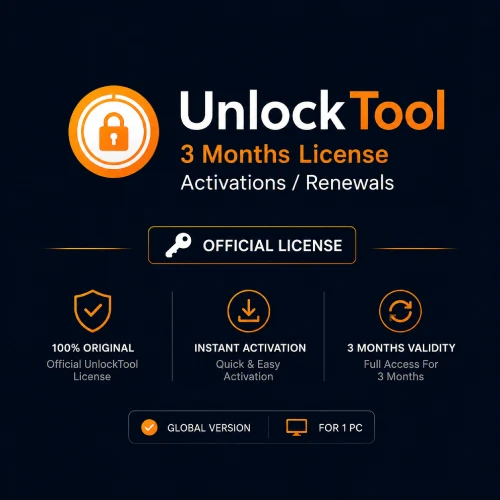

UnlockTool 3 Months License Activation or Renewal
$19.99
Activate a newly registered UnlockTool account or renew an eligible account for 3 months. This account-based digital product is a flexible choice for GSM technicians who want short-term access. Register first, submit the correct username and check current device support before ordering.
A Flexible 3-Month UnlockTool Plan for GSM Technicians
UnlockTool 3 Months License Activation or Renewal is a short-term account plan for professional mobile technicians who need access to supported UnlockTool services without paying for a longer period at the start. The three-month option is commonly listed as 90 days and is especially useful for first-time users, seasonal repair work, temporary projects and technicians who want to evaluate the software in a real workshop environment.
The product can be used for a new activation or an eligible renewal. It is processed against an UnlockTool account, so there is no physical licence card, USB dongle or boxed product to ship. Register the account before ordering and copy the correct username directly from your profile. A spelling mistake can send the activation request to the wrong account or delay processing.
UnlockTool is used in professional smartphone servicing for supported software maintenance and repair tasks. Depending on the device and the functions currently listed by the provider, technicians may use it for firmware work, factory reset, supported account-related servicing, bootloader operations and other mobile software repair workflows.
Availability is never identical across every phone. The exact model number, chipset, Android version, firmware build, region and security patch can change which operations are shown. Treat the current supported-model information inside the tool and on its update resources as the final reference before accepting a repair.
Who Should Choose the 3-Month Licence?
The shortest listed UnlockTool plan is not only for beginners. It can also suit an experienced technician who needs access for a defined period or wants to control software costs around actual workshop demand.
Consider the three-month option if:
- You are opening a repair business and want to test the tool with supported jobs.
- You work with mobile software only during busy service periods.
- You need a temporary renewal for an existing technician account.
- You want to learn the interface before choosing a longer plan.
- You handle only a limited number of compatible phones each month.
- You are comparing UnlockTool with other professional repair platforms.
- You need access for one project, training period or temporary workshop.
- You want to confirm that your common device models remain supported.
If the software becomes part of your daily workflow, compare the six- and twelve-month products before the short plan expires. A longer licence can reduce repeated renewals, while the three-month option keeps the initial commitment smaller.
New Activation and Renewal Explained
Select new activation when you have completed UnlockTool registration but the account has not yet received a paid activation. Sign in before purchase so you know that the account works and the username is correct.
Select renewal when an eligible UnlockTool account already exists and you want to extend its access for another three-month period. Use the existing username. Creating a second account can separate previous account information and cause unnecessary confusion.
If the account is blocked, inaccessible or registered with incorrect details, resolve that problem before purchasing a renewal. A seller can submit an activation request but cannot guarantee access to an account that the customer cannot open.
Only provide the information that is genuinely required for fulfilment. A username and, when necessary, its registered email may be needed. Never place your account password in checkout notes or send it to a reseller through chat.
Understanding UnlockTool Compatibility
UnlockTool is associated with a broad range of supported Android brands and hardware platforms. Common coverage includes selected devices from:
- Samsung
- Xiaomi, Redmi and POCO
- Oppo, Vivo and Realme
- Huawei and Honor
- MediaTek-based platforms
- Qualcomm-based platforms
- Other manufacturers added through tool updates
Brand support is only the starting point. Two phones from the same manufacturer may use different processors, bootloaders or security patches. They can therefore show different functions inside the software.
Before buying the plan for a specific repair job, record:
- The exact brand and model code.
- The sales region or carrier variant.
- The Android version and current firmware build.
- The security patch date.
- The processor or chipset family.
- The device’s bootloader and connection state.
- The operation required by the customer.
- The latest support status for that model and function.
Do not make a purchase decision from an old video title or a screenshot posted in a group. Mobile security changes quickly. A method that worked on an earlier firmware can be unavailable, changed or no longer suitable after an update.
What the Three-Month Product Includes
After the order information is verified and processed, the eligible account receives the selected three-month activation or renewal.
The product includes:
- One new UnlockTool activation or renewal for an eligible account
- Access for the stated three-month period
- Use of supported functions available to active users
- Updates released for eligible accounts during the active term
- Digital processing using the submitted account information
The product does not include:
- A mobile phone, tablet, laptop or desktop computer
- A USB cable, test-point kit or specialised repair hardware
- A physical dongle, licence card, retail box or courier delivery
- A technician performing the repair on the buyer’s behalf
- Guaranteed support for every brand, model or security patch
- Guaranteed success for a particular phone or operation
- Legal permission to service a device owned by another person
- Future renewal after the three-month period ends
How to Order Correctly
Follow a simple verification process before completing checkout:
- Register an account through the proper UnlockTool registration page.
- Sign in successfully and open the account profile.
- Copy the registered username without changing its spelling.
- Decide whether the account needs new activation or renewal.
- Check the current supported model and required operation.
- Enter the correct username during KeyZape checkout.
- Complete payment and allow the digital request to be processed.
- Sign in through the latest official UnlockTool software after confirmation.
- Check the displayed activation and expiry information.
Digital activation may involve payment verification, provider response and manual review. Processing time can therefore vary. The product page should not promise instant delivery unless KeyZape has confirmed that the complete workflow is automatic at that time.
Preparing Your Windows Workstation
A valid account is only one part of a reliable mobile-repair setup. The technician’s computer, drivers, cable and connection also affect whether the phone is detected correctly.
Before starting:
- Download the latest UnlockTool version from its current official file source.
- Use a supported Windows installation with available storage.
- Install only the drivers required for the target device and chipset.
- Use a stable USB port and a reliable data cable.
- Close software that may take control of the same mobile connection.
- Check whether Windows security has quarantined a required official component.
- Keep the account private and sign out of shared computers.
- Back up any accessible device data when the owner has authorised it.
Do not disable every security control permanently. If security software blocks a legitimate tool component, verify the file and source first, then apply only the minimum exception required for the repair environment.
Three Months vs Six Months vs Twelve Months
| Plan | Best suited to | Main consideration |
| 3 months | New users, occasional technicians and short projects | Lower initial commitment but more frequent renewal |
| 6 months | Regular technicians and small active workshops | Balanced access period and renewal frequency |
| 12 months | Established workshops with steady compatible work | Longer commitment; check expected model coverage first |
Choose based on realistic workshop use rather than only the price difference. A three-month plan is often the sensible first purchase when you have not yet tested the software against the models commonly brought to your shop.
Responsible and Authorised Use
Professional repair software should be used only on a device you own or have clear permission to service. Security-related operations can affect access, personal data and device functionality. Ask for proof of ownership where appropriate and keep a signed or recorded job authorisation.
Explain any risk of data loss before beginning. Record the model, requested work and customer approval. Do not keep customer photos, messages, account information or backup files after the service is complete unless the owner has asked you to do so for a defined reason.
Some device-identifier and network operations are regulated by local law. Follow the rules that apply in your country as well as the software provider’s terms. An active UnlockTool account gives access to software; it does not grant permission to bypass ownership or legal restrictions.
Final Checks Before Purchase
Place the order only after confirming that:
- Your UnlockTool account has been registered successfully.
- You can sign in and verify the username.
- You selected new activation or renewal correctly.
- Your common models and operations are currently supported.
- You understand that the product is delivered digitally.
- You understand that wrong-account activation may not be reversible.
- You will use the software only for authorised repair work.
If a target model is the only reason for buying the plan and its support is unclear, ask KeyZape before payment. Compatibility confirmation is more useful than purchasing first and testing later.
Frequently Asked Questions
What does the UnlockTool 3 Months License provide?
It provides a new activation or renewal for one eligible UnlockTool account for three months. The account can use the supported software features available during its active term.
Is the 3-month plan valid for 90 days?
The three-month activation is commonly listed as 90 days. The provider’s account system determines the exact activation and expiry timestamps shown after processing.
Is this suitable for a first-time UnlockTool user?
Yes. The shorter period is a practical option for a technician who wants to test the tool with supported workshop jobs before choosing a longer plan.
Can I renew my existing account with this product?
Yes, an eligible existing account can normally be renewed. Submit the original username and select renewal rather than registering a replacement account.
Do I receive a serial key?
This is normally an account-based activation. The selected validity is added to the eligible username provided with the order rather than supplied as a boxed serial card.
What details should I provide?
Provide the correct registered username and, only when required, the matching account email. Never share the account password in an order note, email or support message.
Can I activate a different username after the order is processed?
Processed account activations may not be transferable. Check every character in the username before checkout.
Does UnlockTool work with every Samsung or Xiaomi phone?
No. Support varies by exact model, chipset, firmware, Android version and security patch. Check the current operation listed for the specific phone.
Are updates included during the active period?
Eligible active users can use updates released during the licence term. Updates may add, change or temporarily remove model-specific functions.
Will any physical item be delivered?
No. This is a digital account activation or renewal. A dongle, phone, cable and repair computer are not included.
When does the three-month period start?
It normally starts when the provider completes the activation or renewal. Sign in afterward and confirm the exact expiry information shown in the account.
Is a successful repair guaranteed?
No. The result depends on model support, firmware, security patch, server status, drivers, cable quality, device condition and the technician’s process.
Which plan should I choose after three months?
Choose another three-month renewal for occasional use, six months for regular workshop work or twelve months when UnlockTool has become part of your steady daily workflow.
Related products
Android Multi Tool (AMT) – 12 Months Activation
Original price was: $39.99.$35.99Current price is: $35.99.
Android Multi Tool (AMT) – Credits
$6.49 $24.49Price range: $6.49 through $24.49
TFM Pro Tool 1 Year Activation
Original price was: $35.99.$31.99Current price is: $31.99.
TFM Pro Tool 2 Year Activation
Original price was: $59.99.$49.99Current price is: $49.99.
TFM Pro Tool 3 Months Account Activation
Original price was: $24.99.$21.99Current price is: $21.99.


Reviews
There are no reviews yet.