
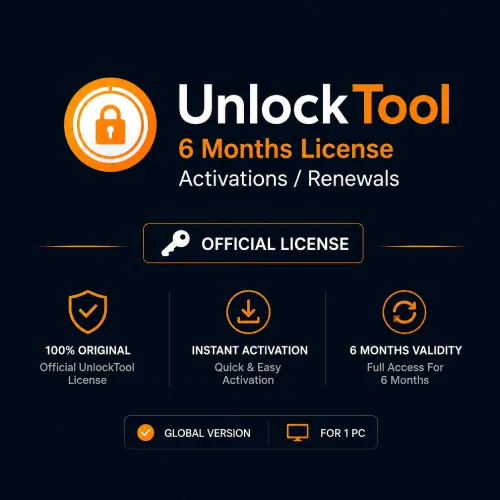

UnlockTool 6 Months License Activation or Renewal
Original price was: $35.99.$31.99Current price is: $31.99.
Get A New Unlocktool Activation Or Renew An Eligible Account For 6 Months. This Account-based Digital Service Is Designed For Professional Gsm Technicians Working With Supported Mobile Devices. Register Your Unlocktool Account First, Submit The Correct Username During Checkout And Verify Model Compatibility Before Ordering.
UnlockTool 6 Months Activation for Professional Mobile Repair Work
UnlockTool 6 Months License Activation or Renewal gives professional GSM technicians access to the UnlockTool software for a practical mid-length period. It is suitable for repair shops and independent technicians who use mobile servicing software regularly but do not yet need a full twelve-month plan.
The licence is account-based. You can use this product to activate a newly registered, eligible UnlockTool account or extend an existing account through renewal. Before placing the order, create your UnlockTool account and check the username carefully. The activation is applied to the submitted account rather than shipped as a physical box, USB drive or printed licence card.
UnlockTool is used in professional Android servicing environments for supported software repair and maintenance operations. Depending on the device, chipset, firmware and security patch, available functions may include firmware flashing, factory reset, account-related servicing, bootloader operations and other repair workflows shown in the current UnlockTool software.
Support is model-specific. A function available for one Samsung, Xiaomi, Redmi, POCO, Oppo, Vivo, Realme, Huawei or Honor device may not be available for another model from the same brand. Always check the current supported-model information and recent update notes before accepting a customer job or purchasing the activation for a particular phone.
New Activation or Renewal: Which One Do You Need?
Choose new activation if you have registered an UnlockTool account but it has not previously received a paid licence. Make sure the registration is complete and that you can sign in with the username you plan to submit.
Choose renewal if you already have an eligible UnlockTool account and want to extend its access for another six-month period. Use the same registered username. Do not create a second account simply because the first licence has expired unless UnlockTool support specifically tells you to do so.
If you are unsure whether the account requires a new activation or a renewal, contact KeyZape before paying. Once an account-based digital activation has been processed, changing the username or moving the licence to another account may not be possible.
Never send your account password through the product order form, email or chat. KeyZape should require only the account information needed for processing, such as the registered username and, where necessary, the matching email address.
Why Choose the Six-Month Plan?
A three-month plan may be too short for a technician who works with supported Android devices throughout the year, while a twelve-month plan can feel like a larger commitment. The six-month option sits between them.
It may be a good fit when:
- You run a small mobile repair shop and use servicing software regularly.
- You already know the UnlockTool interface and supported workflow.
- You want more working time than a short trial period.
- You prefer to review the tool again before committing to a full year.
- You need to renew an existing account for the next service period.
- Your common repair models are currently supported by UnlockTool.
The longer period does not guarantee support for every device released during those six months. Manufacturers frequently change bootloaders, firmware and security patches. UnlockTool may add, modify or temporarily suspend an operation following those changes. Checking the current status remains important even with an active licence.
Supported Brands and Service Coverage
UnlockTool publishes support for a broad and frequently updated range of mobile devices. Commonly represented brands and platforms include:
- Samsung
- Xiaomi, Redmi and POCO
- Oppo, Vivo and Realme
- Huawei and Honor
- MediaTek-based devices
- Qualcomm-based devices
- Other models added through ongoing software updates
This list describes the wider UnlockTool ecosystem, not a promise that every model or every operation is supported. Compatibility can depend on the exact model number, region, processor, Android version, firmware build, security patch and bootloader state.
Before beginning a repair, confirm:
- The full device model and regional variant.
- The installed Android version.
- The current security patch date.
- The chipset or platform used by the device.
- The operation listed for that exact model.
- Whether a cable, driver, test point or special device mode is required.
- Whether the relevant UnlockTool server is currently online.
- Whether the operation could erase user data.
Do not rely only on an old YouTube video, screenshot or social-media post. A procedure recorded for an older firmware build may not apply to the device currently on your workbench.
What You Receive
This KeyZape product provides one eligible UnlockTool account with a six-month activation or renewal after the required order information has been verified and processed.
The purchase includes:
- The selected six-month account activation or renewal
- Access to the supported UnlockTool software during the active period
- Product updates made available to eligible active users
- Digital order processing through the submitted account information
The purchase does not include:
- A smartphone, tablet or Windows computer
- USB cables, drivers, test-point equipment or other repair hardware
- A physical dongle, box, disc or courier delivery
- A guarantee that every model or operation will be supported
- Remote repair work performed by KeyZape
- Ownership of any third-party device or data
- Permission to service a phone without the owner’s consent
How the Digital Activation Process Works
- Register an UnlockTool account using the official registration process.
- Sign in once and confirm that the username is correct.
- Decide whether the account needs a new activation or a renewal.
- Check the latest supported-model and update information.
- Enter the correct registered username during KeyZape checkout.
- Complete payment and wait for the digital order to be processed.
- After confirmation, sign in through the latest official UnlockTool software.
- Confirm the licence period shown in the account before starting a repair.
Processing time can vary depending on payment verification, server response and manual review. The product page should say digital activation rather than promise instant delivery unless KeyZape has confirmed that the entire process is automatic.
Important Account and Compatibility Checks
An incorrect username is one of the most avoidable causes of activation problems. Copy the username directly from the registered account instead of typing it from memory. Check for extra spaces, spelling errors and similar-looking characters before submitting the order.
Also verify that:
- The account is accessible before purchase.
- The account is not blocked or under review.
- The submitted username belongs to the intended technician.
- The computer meets the current UnlockTool requirements.
- Required mobile drivers can be installed on the Windows PC.
- Antivirus or firewall settings are not silently blocking the official tool.
- The target device and requested operation are currently supported.
An active account does not override an unsupported device, offline server or incompatible security patch. If support is uncertain, contact KeyZape before activation rather than testing the licence on the wrong product or account.
Responsible Use for Repair Technicians
UnlockTool is intended for lawful mobile servicing. Use it only on a device you own or on a customer device that you have clear permission to inspect and repair. Verify ownership before performing an account, lock or security-related operation.
Create a written job record containing the device model, serial or service identifier, customer authorisation and requested repair. Inform the owner when a supported operation may erase data. Back up accessible customer data when authorised and practical, and never retain personal files longer than the repair requires.
Device identifiers and network-related functions can be regulated differently across countries. Follow local law, manufacturer rules and the UnlockTool terms of use. An active licence is access to software; it is not permission to alter a device unlawfully.
Before You Place the Order
Please confirm all of the following:
- You have created an eligible UnlockTool account.
- You know whether you need activation or renewal.
- The registered username is correct.
- The target models and required functions are currently supported.
- You understand that the product is delivered digitally.
- You accept that processed account activations may not be transferable.
- You have permission to service every device on which the software will be used.
If any of these points is unclear, contact KeyZape support before completing checkout. A short compatibility check can prevent delays, wrong-account activation and unnecessary disputes.
Frequently Asked Questions
What is included with the UnlockTool 6 Months License?
The product provides a new activation or renewal for one eligible UnlockTool account for six months. It does not include a phone, computer, physical dongle, cable or hands-on repair service.
Is six months the same as 180 days?
UnlockTool six-month plans are commonly listed as 180 days. The provider’s account system controls the exact start and expiry timestamps shown after activation.
Can I use this product for a new account?
Yes, select new activation after registering an eligible UnlockTool account. Confirm that the username is correct before placing the order.
Can I renew an expired UnlockTool account?
An eligible existing account can normally be renewed. Submit the same registered username and choose renewal. Contact KeyZape first if the account is blocked, inaccessible or cannot be verified.
What information is required for activation?
The registered UnlockTool username is normally required, and the matching email may be requested when necessary. Never send your password to a reseller or place it in an order note.
Does UnlockTool support every Android phone?
No. Supported operations depend on the exact model, chipset, Android version, firmware and security patch. Check the current supported-model information before every job.
Does the licence include future updates?
An active account can use updates released for eligible users during its active period. An update may add, change or temporarily remove model-specific support.
Is this a physical product?
No. It is an account-based digital activation or renewal. Nothing will be shipped by courier.
Can the activation be moved to another username?
Account-based activations are generally processed for the submitted username and may not be transferable. Verify the username before payment.
When does the licence period begin?
The active period normally begins when the activation or renewal is completed in the provider’s system. Check the account after processing for the exact expiry date.
Can KeyZape guarantee a successful operation on my phone?
No responsible seller can guarantee every repair result. Success depends on the exact device, firmware, security patch, connection, drivers, server availability and the technician’s procedure.
Who should purchase this plan?
The six-month option is best suited to GSM technicians and repair shops that already understand mobile servicing and want a balanced period between the three-month and twelve-month plans.
Related products
Android Multi Tool (AMT) – 12 Months Activation
Original price was: $39.99.$35.99Current price is: $35.99.
Android Multi Tool (AMT) – 3 Months Activation
Original price was: $15.99.$11.99Current price is: $11.99.
TFM Pro Tool 1 Year Activation
Original price was: $35.99.$31.99Current price is: $31.99.
TFM Pro Tool 2 Year Activation
Original price was: $59.99.$49.99Current price is: $49.99.
TFM Pro Tool 3 Months Account Activation
Original price was: $24.99.$21.99Current price is: $21.99.


Reviews
There are no reviews yet.